
Shopify and Grok: a practical guide to running your ecommerce with AI
Learn how to connect Grok to Shopify, improve catalog tasks and analyze sales wisely. Practical examples, limits and a Teipe checklist.
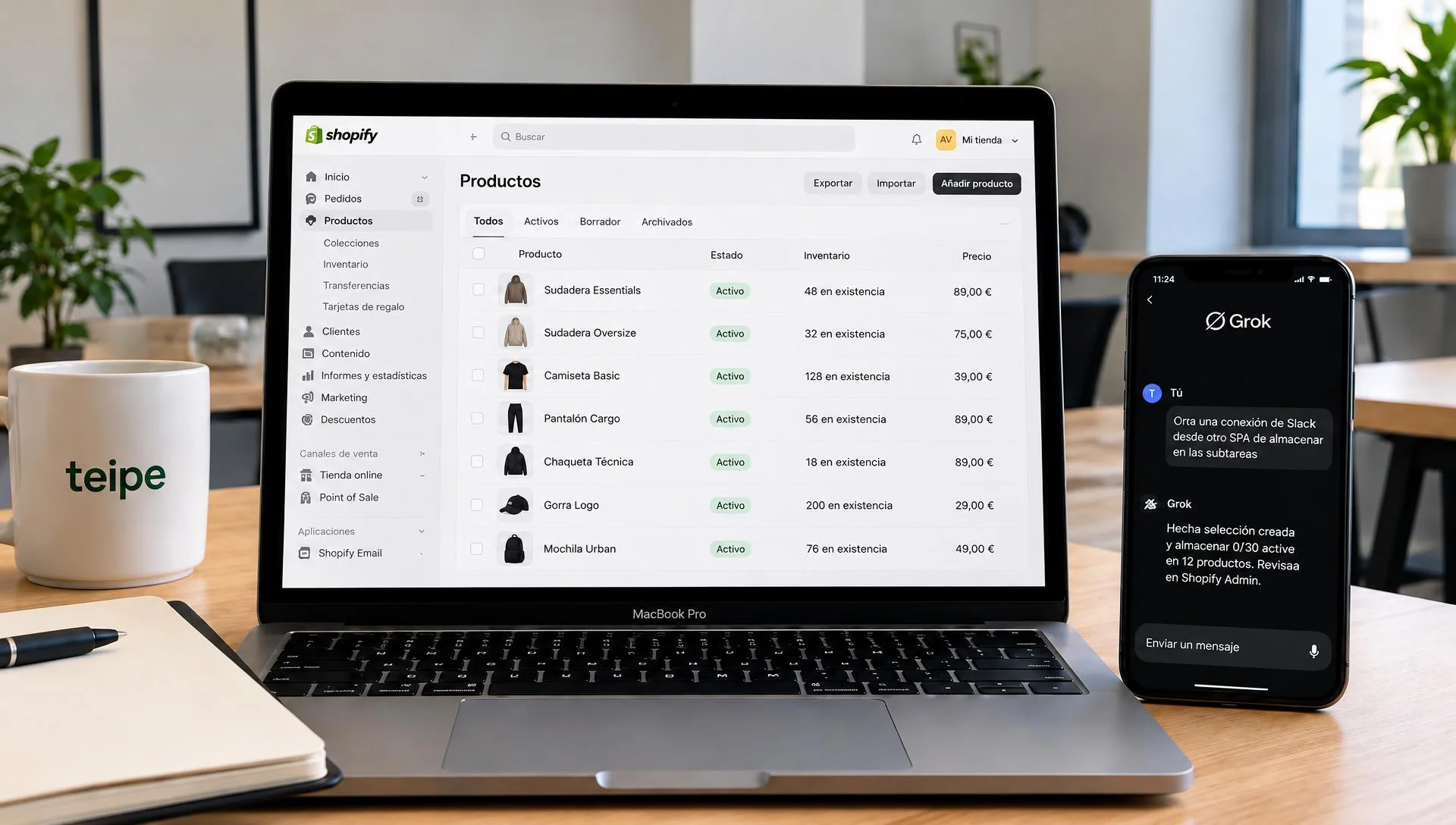
Running an ecommerce store is not just about attracting visitors. It also means keeping the catalog up to date, controlling stock and understanding which products perform. Shopify connected to Grok lets you carry out certain tasks from an AI conversation, always within the permissions you authorize. The opportunity is not to delegate everything, but to reduce repetitive work and give more attention to the shopping experience.
In this Teipe practical guide we explain how to get started, what you can ask for and where you need human review. If you want to turn AI into useful improvements for your store, start with one specific task, not with a promise of total automation.
What the Shopify connector for Grok is
The Shopify connector for Grok, by xAI, lets you connect an existing store and work with products, collections, inventory, discounts, certain order data, customers and analytics. It can also generate a store preview from an idea. The flow is simple: you describe the task, Grok interprets the request and you review the result in Shopify Admin.
From a conversion perspective, this can help you spot out-of-stock products, prepare clearer catalog information or review sales behavior. None of these actions guarantees more sales on its own. Their value depends on solving a real friction point and checking the effect with your data.
How to connect Grok to Shopify in six steps
- Open Grok in your browser or mobile app.
- Find Shopify in the connectors section. The connection starts from Grok, not from the Shopify App Store.
- Sign in to Shopify and review the requested permissions.
- Authorize only the access needed for the task you want to do.
- Confirm which store is connected, especially if you manage several.
- Start with a read-only query and check the answer in Shopify Admin.
From idea to store, what is missing before you sell
You can describe a business to generate a preview. For example, a specialty coffee store with four sample products. A preview is not a store ready to sell. Before launching it you need to claim it and complete the commercial, legal, tax and technical setup.
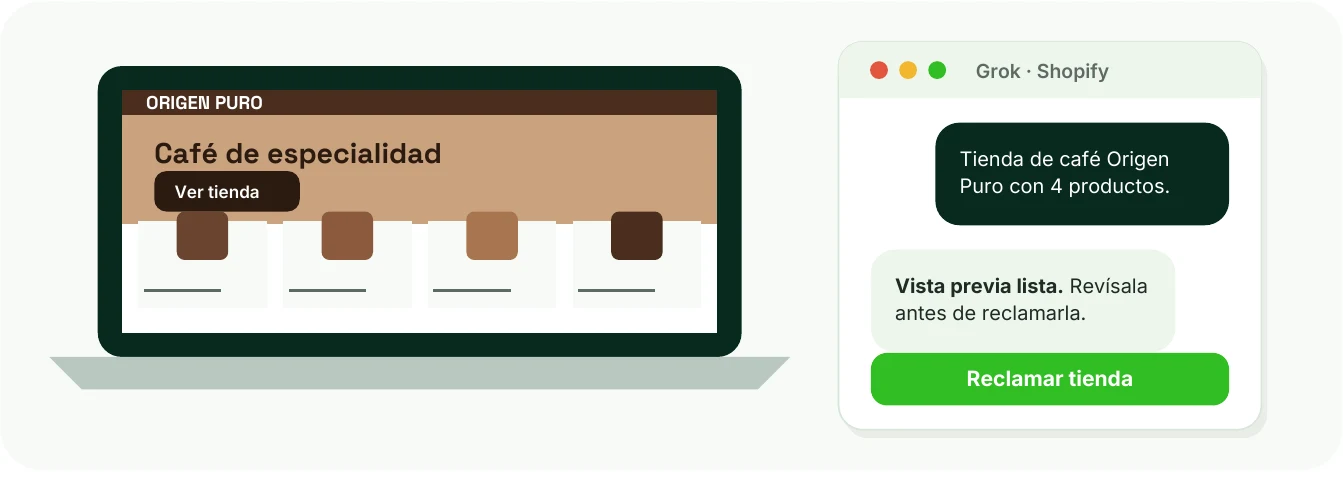
“I want to launch a specialty coffee store called Origen Puro. Suggest a starting structure and four sample products. Show me the preview before creating or publishing anything.”
Example request to Grok
- Review products, images, variants, descriptions and prices.
- Set up payments, taxes, shipping and rates.
- Check legal policies, contact details and transactional emails.
- Validate domain, navigation and mobile experience.
- Place a test order and confirm it arrives correctly.
If you are preparing a new store, our Shopify ecommerce creation page explains how we approach that launch. AI can speed up the start, but the shopping experience needs a full review.
Catalog, collections and stock with less friction
The connector lets you create and update certain product fields, such as titles, descriptions, prices, options and variants. A careful way to start is to prepare products as drafts and review them before publishing. A useful description should help the customer decide, not just sound good.
“Create a product called Vanilla soy candle for €24.95. Keep it as a draft. Do not publish anything and show me the fields you filled in.”
Catalog example, not a Teipe offer
Collections that make products easy to find
You can prepare a manual collection with a specific list of products or use compatible rules for a smart collection. Before saving, check which products it includes. Catalog organization should match the way your customers search, compare and buy.
Inventory and discounts, always reviewed
To change stock, confirm product, variant, location, quantity and reason. For discounts, check scope, dates, minimum purchase, combinations and exclusions. Asking to “create a promotion” is not enough: you need conditions that protect your margin and are clear in the store.
Want to sell more online? We'll run a free diagnosis of your ecommerce
Get my diagnosisWhat to ask to make better sales decisions
Sales, order and customer queries can help guide your next step. Always ask for the period, currency and calculation criteria. If information is missing, it is better to know than to make a decision based on a summary that only looks complete.
- Sales: “Summarize sales for the last 30 days by product and highlight the top five.”
- Comparison: “Compare this month with last month using the same date criteria.”
- Average order value: “Calculate the average order value for the period and explain which data you used.”
- Customers: “Compare new and returning customers if this data is available.”
- Stock: “List products with low stock based on this threshold.”
- Data quality: “Point out which fields are missing or could distort the analysis.”
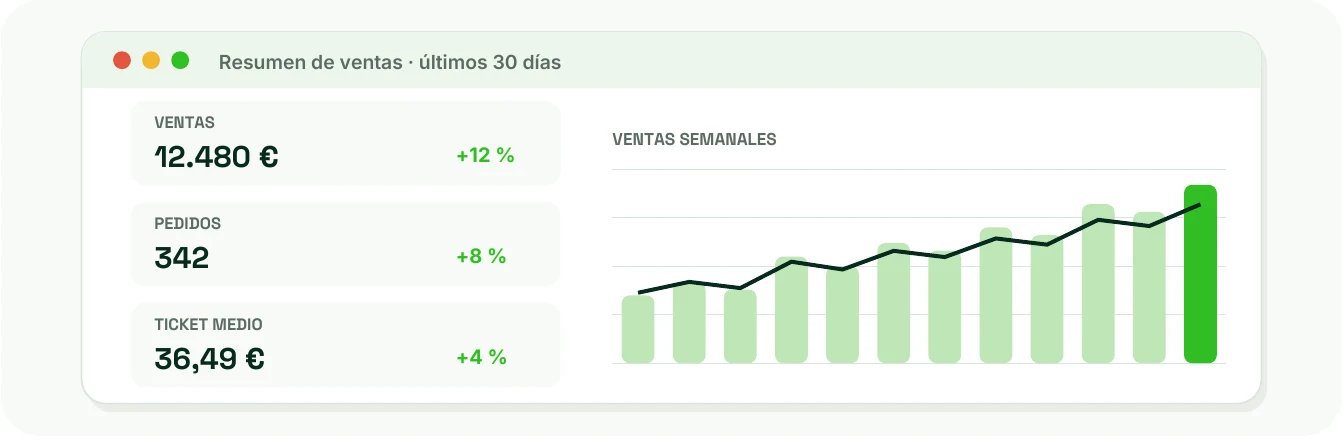
Double-check taxes, returns and the definition of each metric. Shopify does not replace GA4, ad platforms or your CRM for a complete marketing analysis. The next step is not to switch on changes blindly, but to form a hypothesis, review its feasibility and measure what happens.
Grok or Sidekick, which to use when
Sidekick is Shopify's native assistant and is built into the admin. It is the starting point for contextual guidance, data analysis and compatible tasks inside the platform. It is included in your Shopify plan, subject to the available features and limits.
Grok is an external AI connected through permissions. It can fit when you want to work from a conversation outside the admin or generate a preview. It is not a full replacement for Sidekick. Choosing well means starting from the job you need to get done, not from the flashiest tool.
Costs and limits worth knowing
Shopify connects Grok for free: there is no fee for the connector. What does have a cost is Grok, by xAI. You can check Grok plans and pricing on its official website. The price depends on the actions you want to carry out and on your usage volume, so review the current plan, region and taxes before subscribing.
The connector cannot edit or publish the live theme and does not replace Shopify Admin for sensitive settings such as payments, taxes, domain or plan. It also cannot issue refunds, cancel orders, capture payments or manage returns. Those operations require the corresponding Shopify flow and the right permissions.
An AI plan built for conversion
- Identify a specific friction point: incomplete information, a catalog that is hard to browse or stock issues.
- Choose a compatible, small-scope task.
- Say whether you want to query, prepare a draft or make a change.
- Ask for a summary before confirming and review the result in Shopify Admin.
- Check the customer experience and measure the effect before scaling the work.
Teipe's recommendation is to combine tools wisely: Sidekick for native work in Shopify, Grok for compatible tasks from chat, and analytics or automation when you need to connect other data. We do not promise integrations or conversion improvements before reviewing the store, the permissions and the business goal.
Want the Shopify + Grok practical guide?
Subscribe and book a free consultation in our calendar. We will talk through how to apply AI in your store and send you the full guide.
Subscribe and book a call →FAQ about Shopify and Grok
Official sources
Article written by Teipe based on the Teipe Shopify + Grok Guide (October 2026) and the official documentation from Shopify and xAI, Elon Musk's artificial intelligence company behind Grok:
• Shopify: Shopify connector for Grok
• Shopify: Shopify Sidekick help
• Shopify: Official Shopify website
• xAI: Grok plans and pricing
• xAI: Official xAI website
• Grok: Grok.com
Features, prices and conditions may change. Always check the official sources.
Turn AI into useful decisions for your ecommerce
At Teipe we review with you which tasks are worth improving and how they fit your catalog and shopping experience. Tell us what you want to solve in your Shopify store.
Talk to Teipe →Want to sell more online? We'll run a free diagnosis of your ecommerce
Get my diagnosisReady to grow your brand?
We review your ecommerce and identify opportunities to grow with Shopify.
Let's talk →Learn more about our service: Ecommerce build
You may also like
Clerkmate for Black Friday: the voice assistant that helps your customers when they need it most

The GEO evolution for Shopify: get ready for AI in 2026
